Everything your team needs in one common operating picture.
Tasks, events, teams, assets, and the most comprehensive mapping experience in operations management—together in real time.
Dashboard
Screenshot placeholder
Purpose-built for operations. Multiple grid formats, real-time weather, terrain analysis, route planning, and collaborative drawing tools that your team actually needs.
Full Map Interface
Screenshot placeholder
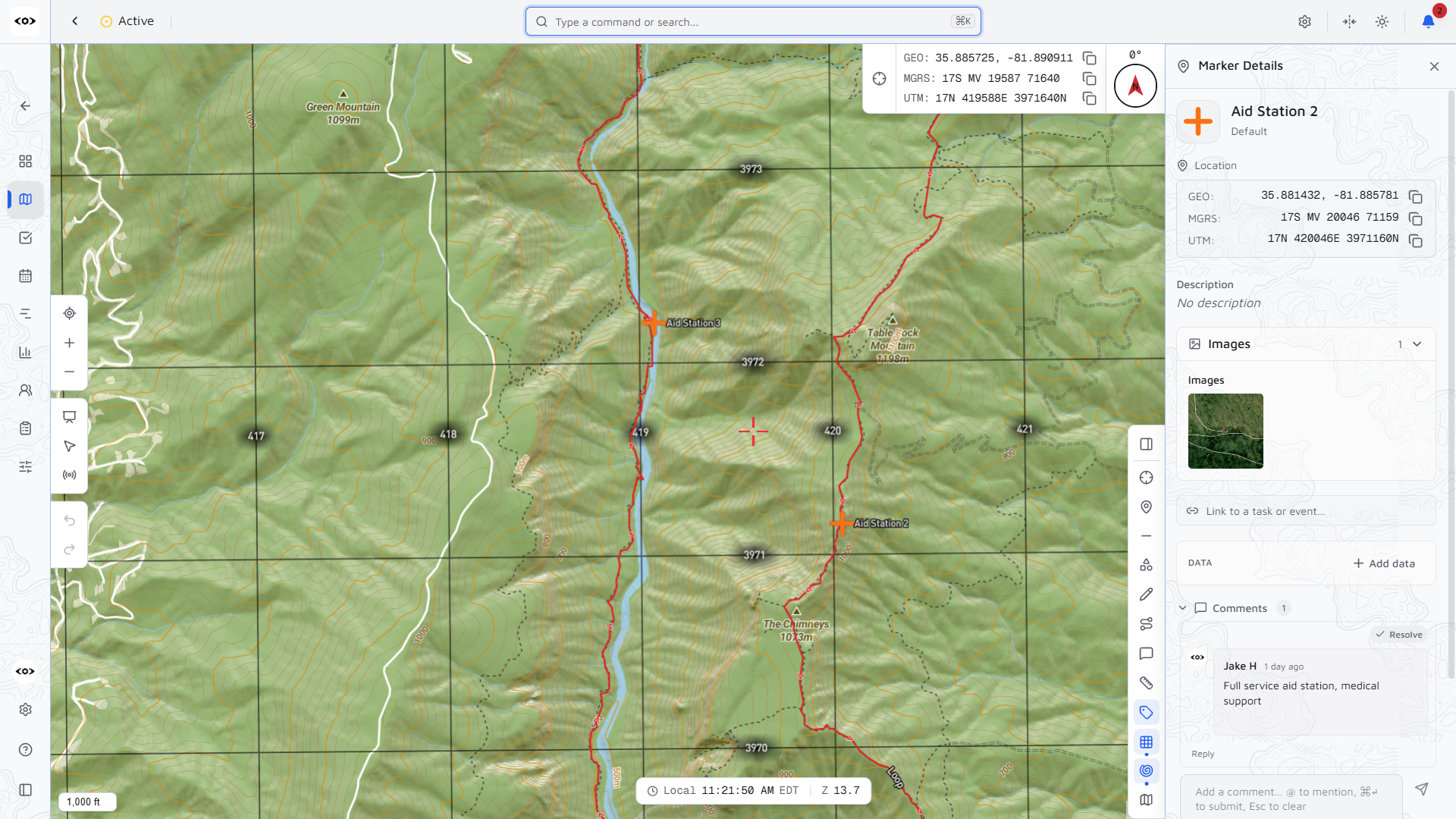
Full grid overlay with customizable 1km and 100m subdivisions. Display coordinates in your preferred format—standard lat/long, UTM, or MGRS notation.
Analyze terrain steepness between any two points. Critical for route planning, helicopter landing zones, and accessibility assessment.
Click any point to get address, elevation, coordinates in multiple formats, current weather conditions, and forecasts for planning operations.
Plan multi-waypoint routes with distance, bearing, and ETA calculations. Support for vehicle and aircraft platforms with custom speeds.
Measure distances, areas, and bearings directly on the map. Support for metric, imperial, and nautical units.
Attach photos to map markers for maximum situational awareness. Document locations, conditions, and points of interest visually.
Draw points, lines, polygons, and circles that sync instantly across your team. Create custom categories with icons, organize features into layers, and import KML/KMZ/GPX files from other mapping tools.
Collaborative Drawing Tools
Screenshot placeholder
Export Products
Screenshot placeholder
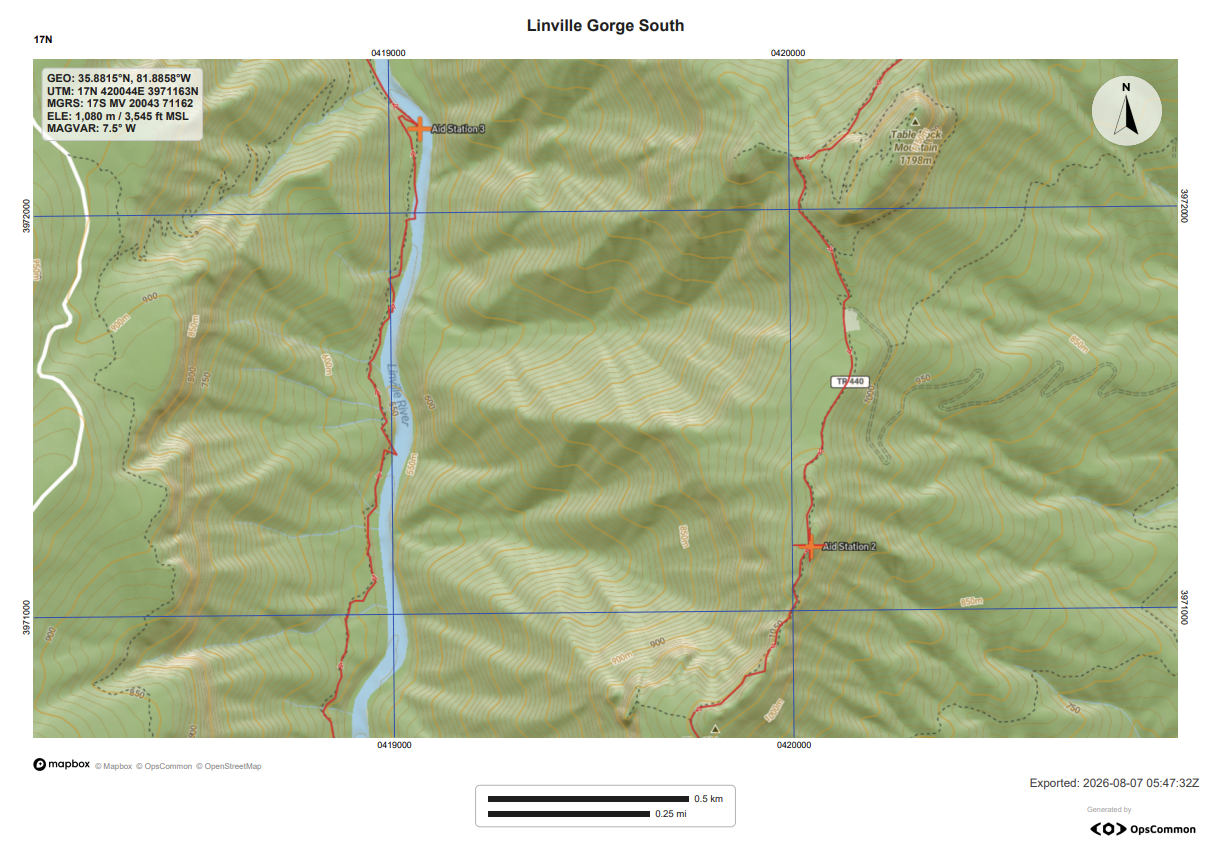
Export map data and generate mission-critical products for field operations. Create personnel rosters, grid reference lists, and formatted reports ready for print or digital distribution.
Everything you need to plan, execute, and track operations—from tasks to teams to assets.
Tasks Interface
Screenshot placeholder
Create, assign, and track tasks with subtasks, due dates, and priority levels. Tasks can be assigned to individuals or teams, linked to map locations, and organized across operations or kept in an org-wide backlog.
Schedule events, briefings, and milestones on a shared calendar. View everything on an interactive timeline to see what's happening now and what's coming up. Events can be pinned to map locations for spatial awareness.
Events & Timeline
Screenshot placeholder
Teams Management
Screenshot placeholder
Organize people into working groups with leaders, roles, and contact information. Teams can be org-wide (your permanent roster) or operation-specific. Track team locations on the map and assign tasks or assets to entire teams.
Track equipment, vehicles, gear, and consumable supplies across your organization.
Track equipment, vehicles, and gear across your organization. Know what you have, where it is, and who's using it. Assets can be part of your org inventory or created specifically for an operation.
Asset Management
Screenshot placeholder
Supplies Management
Screenshot placeholder
Track consumable supplies with quantities, categories, and locations. Know what you have on hand and where it's stored. Supplies can be managed at the org level or assigned to specific operations.
Files, notes, contacts, and enterprise features to round out your operations toolkit.
Upload and share documents, images, and files across your organization or within specific operations.
Capture SOPs, meeting notes, and documentation. Organize at the org or operation level.
Maintain a directory of vendors, partners, stakeholders, and external contacts.
Complete audit trail of all changes. Configurable retention and soft-delete recovery.